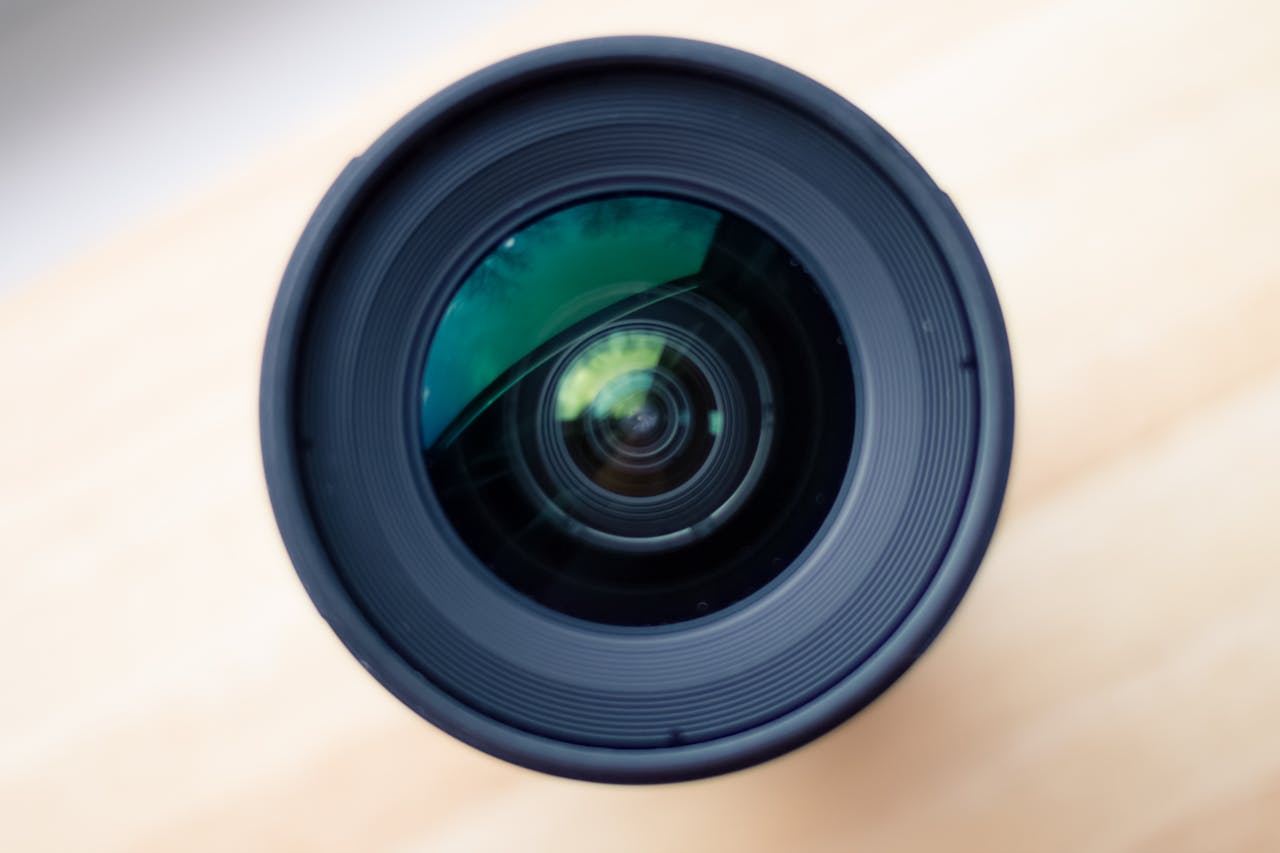
Waarom is het belangrijk om je camera en lens schoon te maken?

Of je nu een professionele fotograaf bent of een hobbyist, een schone camera en lens zijn essentieel voor scherpe en heldere foto’s. Stof, vuil en vlekken kunnen de beeldkwaliteit beïnvloeden en zelfs permanente schade veroorzaken. Met de juiste schoonmaaktechnieken verleng je de levensduur van je apparatuur en houd je je foto’s haarscherp.

In deze gids leer je stap voor stap hoe je je camera en lens op de juiste manier schoonmaakt.


Wat heb je nodig?

Om je camera en lens veilig schoon te maken, heb je de juiste tools nodig. Vermijd het gebruik van ruwe materialen of huishoudelijke schoonmaakmiddelen, omdat deze krassen kunnen veroorzaken.

Essentiële schoonmaaktools:

  • Blaasbalg – Verwijdert stofdeeltjes zonder contact.
  • Microvezeldoekje – Voorkomt krassen en vlekken.
  • Lenspenseel – Voorzichtig stof en vuil verwijderen.
  • Lensreinigingsvloeistof – Speciale vloeistof voor hardnekkige vlekken.
  • Reinigingspads of lens tissues – Voor het voorzichtig reinigen van glazen oppervlakken.
  • Sensor Cleaning Kit (optioneel) – Voor gevorderden die de sensor willen reinigen.

Stap 1: De buitenkant van je camera schoonmaken

Voordat je begint met het reinigen van de lens of de sensor, moet je de buitenkant van de camera schoonmaken.

  1. Gebruik een blaasbalg of penseel om los stof en vuil te verwijderen.
  2. Neem een microvezeldoekje, licht vochtig met water of een speciale camera-reinigingsvloeistof, en veeg voorzichtig over de body van de camera.
  3. Maak de knoppen en draaiknoppen schoon met een penseel of een droge doek om opgehoopt vuil te verwijderen.

Stap 2: De lens reinigen

De lens is het belangrijkste onderdeel van je camera en vereist extra zorg.

Stof verwijderen:

  • Gebruik een blaasbalg om stof en zand te verwijderen. Blaas nooit direct met je mond, omdat speeksel vlekken kan veroorzaken.
  • Voor hardnekkig stof kun je een lenspenseel gebruiken.

Vlekken en vingerafdrukken verwijderen:

  • Doe een paar druppels lensreinigingsvloeistof op een reinigingspad of microvezeldoek (nooit direct op de lens!).
  • Maak met zachte, draaiende bewegingen de lens schoon.
  • Gebruik een droge microvezeldoek om resten te verwijderen.

De lensvatting schoonmaken:

  • Maak de lensvatting (de aansluiting op de camera) schoon met een droge microvezeldoek.
  • Controleer of er geen stof in de bajonet zit voordat je de lens terugplaatst.

Stap 3: De camerasensor reinigen (optioneel)

Als je merkt dat je foto’s steeds kleine vlekjes bevatten, zelfs na het schoonmaken van de lens, dan kan er stof op de sensor zitten. Sensorreiniging is een delicate taak en vereist speciale tools.

Hoe weet je of je sensor vuil is?

Maak een foto van een witte muur of een blauwe lucht met een klein diafragma (bijvoorbeeld f/16 of hoger). Zie je donkere vlekjes op de afbeelding? Dan zit er waarschijnlijk stof op de sensor.

Zo reinig je de sensor:

  1. Gebruik eerst de blaasbalg om stof te verwijderen zonder de sensor aan te raken.
  2. Voor hardnekkige vlekken gebruik je een sensorreinigingskit met speciale swabs en reinigingsvloeistof.
  3. Wees voorzichtig! Een beschadigde sensor is duur om te repareren. Twijfel je? Laat de sensor reinigen door een professional.

Extra tips voor een schone camera en lens

Gebruik altijd een lensdop als je de camera niet gebruikt om stof en krassen te voorkomen.
Bewaar je camera en lenzen in een droge, stofvrije omgeving. Gebruik eventueel een cameratas met een vochtabsorberend zakje.
Raak de lens niet met je vingers aan. Vingerafdrukken kunnen moeilijk te verwijderen zijn.
Vermijd extreme weersomstandigheden zoals regen, zandstormen en hoge luchtvochtigheid. Gebruik indien nodig een beschermhoes.
Maak je camera regelmatig schoon. Wacht niet tot het vuil zich ophoopt!


Conclusie

Een schone camera en lens zijn essentieel voor het maken van de beste foto’s. Door regelmatig je apparatuur schoon te maken met de juiste technieken en gereedschappen, voorkom je vlekken, stof en beschadigingen. Volg deze stappen en houd je camera in topconditie!


Wil je meer tips over camera-onderhoud? Laat het ons weten in de reacties! 📸

Door Ilonka

We use cookies to personalise content and ads, to provide social media features and to analyse our traffic. We also share information about your use of our site with our social media, advertising and analytics partners.
Cookies settings
Accept
Privacy & Cookie policy
Privacy & Cookies policy
Cookie name Active

Privacy Policy

What information do we collect?

We collect information from you when you register on our site or place an order. When ordering or registering on our site, as appropriate, you may be asked to enter your: name, e-mail address or mailing address.

What do we use your information for?

Any of the information we collect from you may be used in one of the following ways: To personalize your experience (your information helps us to better respond to your individual needs) To improve our website (we continually strive to improve our website offerings based on the information and feedback we receive from you) To improve customer service (your information helps us to more effectively respond to your customer service requests and support needs) To process transactions Your information, whether public or private, will not be sold, exchanged, transferred, or given to any other company for any reason whatsoever, without your consent, other than for the express purpose of delivering the purchased product or service requested. To administer a contest, promotion, survey or other site feature To send periodic emails The email address you provide for order processing, will only be used to send you information and updates pertaining to your order.

How do we protect your information?

We implement a variety of security measures to maintain the safety of your personal information when you place an order or enter, submit, or access your personal information. We offer the use of a secure server. All supplied sensitive/credit information is transmitted via Secure Socket Layer (SSL) technology and then encrypted into our Payment gateway providers database only to be accessible by those authorized with special access rights to such systems, and are required to?keep the information confidential. After a transaction, your private information (credit cards, social security numbers, financials, etc.) will not be kept on file for more than 60 days.

Do we use cookies?

Yes (Cookies are small files that a site or its service provider transfers to your computers hard drive through your Web browser (if you allow) that enables the sites or service providers systems to recognize your browser and capture and remember certain information We use cookies to help us remember and process the items in your shopping cart, understand and save your preferences for future visits, keep track of advertisements and compile aggregate data about site traffic and site interaction so that we can offer better site experiences and tools in the future. We may contract with third-party service providers to assist us in better understanding our site visitors. These service providers are not permitted to use the information collected on our behalf except to help us conduct and improve our business. If you prefer, you can choose to have your computer warn you each time a cookie is being sent, or you can choose to turn off all cookies via your browser settings. Like most websites, if you turn your cookies off, some of our services may not function properly. However, you can still place orders by contacting customer service. Google Analytics We use Google Analytics on our sites for anonymous reporting of site usage and for advertising on the site. If you would like to opt-out of Google Analytics monitoring your behaviour on our sites please use this link (https://tools.google.com/dlpage/gaoptout/)

Do we disclose any information to outside parties?

We do not sell, trade, or otherwise transfer to outside parties your personally identifiable information. This does not include trusted third parties who assist us in operating our website, conducting our business, or servicing you, so long as those parties agree to keep this information confidential. We may also release your information when we believe release is appropriate to comply with the law, enforce our site policies, or protect ours or others rights, property, or safety. However, non-personally identifiable visitor information may be provided to other parties for marketing, advertising, or other uses.

Registration

The minimum information we need to register you is your name, email address and a password. We will ask you more questions for different services, including sales promotions. Unless we say otherwise, you have to answer all the registration questions. We may also ask some other, voluntary questions during registration for certain services (for example, professional networks) so we can gain a clearer understanding of who you are. This also allows us to personalise services for you. To assist us in our marketing, in addition to the data that you provide to us if you register, we may also obtain data from trusted third parties to help us understand what you might be interested in. This ‘profiling’ information is produced from a variety of sources, including publicly available data (such as the electoral roll) or from sources such as surveys and polls where you have given your permission for your data to be shared. You can choose not to have such data shared with the Guardian from these sources by logging into your account and changing the settings in the privacy section. After you have registered, and with your permission, we may send you emails we think may interest you. Newsletters may be personalised based on what you have been reading on theguardian.com. At any time you can decide not to receive these emails and will be able to ‘unsubscribe’. Logging in using social networking credentials If you log-in to our sites using a Facebook log-in, you are granting permission to Facebook to share your user details with us. This will include your name, email address, date of birth and location which will then be used to form a Guardian identity. You can also use your picture from Facebook as part of your profile. This will also allow us and Facebook to share your, networks, user ID and any other information you choose to share according to your Facebook account settings. If you remove the Guardian app from your Facebook settings, we will no longer have access to this information. If you log-in to our sites using a Google log-in, you grant permission to Google to share your user details with us. This will include your name, email address, date of birth, sex and location which we will then use to form a Guardian identity. You may use your picture from Google as part of your profile. This also allows us to share your networks, user ID and any other information you choose to share according to your Google account settings. If you remove the Guardian from your Google settings, we will no longer have access to this information. If you log-in to our sites using a twitter log-in, we receive your avatar (the small picture that appears next to your tweets) and twitter username.

Children’s Online Privacy Protection Act Compliance

We are in compliance with the requirements of COPPA (Childrens Online Privacy Protection Act), we do not collect any information from anyone under 13 years of age. Our website, products and services are all directed to people who are at least 13 years old or older.

Updating your personal information

We offer a ‘My details’ page (also known as Dashboard), where you can update your personal information at any time, and change your marketing preferences. You can get to this page from most pages on the site – simply click on the ‘My details’ link at the top of the screen when you are signed in.

Online Privacy Policy Only

This online privacy policy applies only to information collected through our website and not to information collected offline.

Your Consent

By using our site, you consent to our privacy policy.

Changes to our Privacy Policy

If we decide to change our privacy policy, we will post those changes on this page.
Save settings
Cookies settings